The Gauge Your Access Overdue Query Can Never See
A blank interval makes a gauge invisible to your Access overdue report. Find every one in ten minutes, before your auditor or your migration does.
The overdue report came back clean on Monday morning. Zero instruments past due, 1,240 on the register. The quality engineer who runs it had seen that number every week for three years and trusted it, and why not? The query had never been wrong.
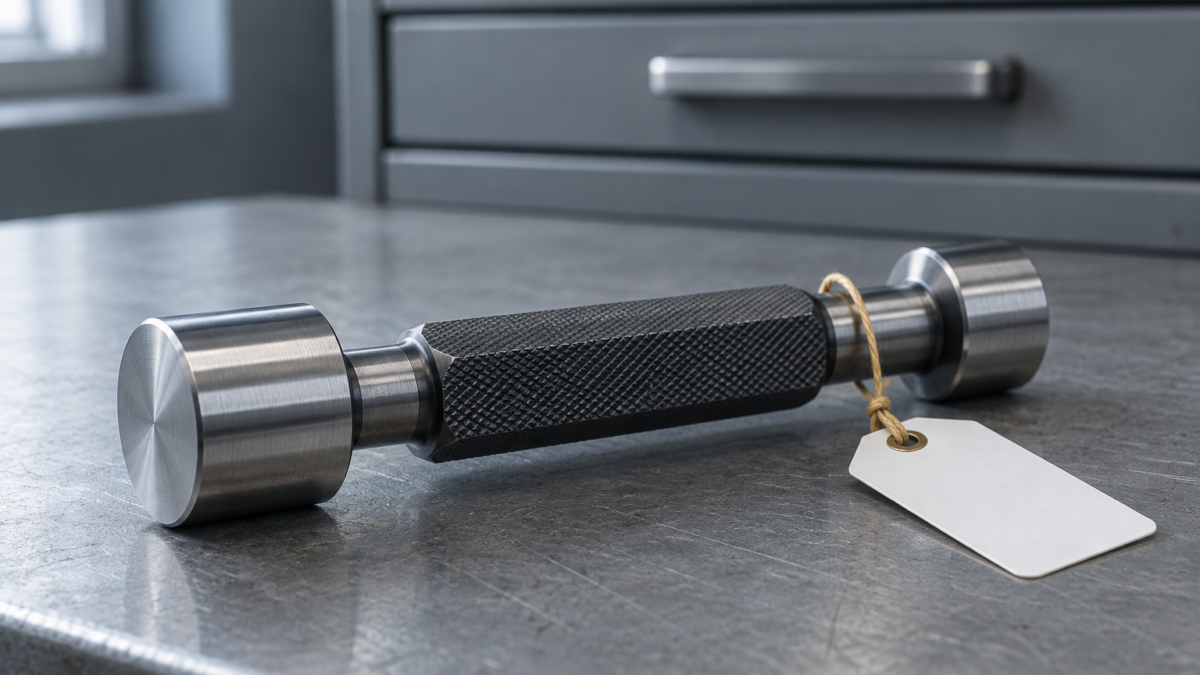
Then an operator brought a thread plug gauge to the crib and asked when it had last been checked. It had been in the register since 2019. The Interval field was empty. Nobody had touched it since the record was created, and it had never appeared on a single overdue report. The query hadn’t made an error. It did exactly what it was written to do.
This article covers why that happens in almost every homegrown Access calibration database, how to find every affected instrument in about ten minutes, and why a migration is the right moment to close the gap for good.
Why the query can’t see it
Most Access calibration databases share the same basic structure: a gauge table and a readings table, joined by a form and subform. The due date is either stored in a NextDue column that a form fills in after each calibration, or calculated in a query, something like:
WHERE [LastCalDate] + [IntervalDays] < Date()
It works for every instrument that has both values. If either one is blank, Access stores it as Null, and Null doesn’t behave like zero. Any arithmetic involving Null returns Null, and any comparison with Null is neither true nor false. The row isn’t overdue and it isn’t current. It simply isn’t returned. Access query criteria exclude Null rows unless you explicitly add Is Null, and almost nobody does, because on the day the query was written every instrument had an interval.
A stored NextDue column has the same flaw one step earlier. If the form’s after-update code only runs when a calibration is logged, an instrument registered without an interval gets no due date at all. The report filters on NextDue < Date(), and a blank NextDue never qualifies.
The failure is silent. Nothing errors and nobody gets a warning. The report looks cleaner than it should, and a clean overdue report is the one people stop questioning.
How the blanks get there
Nobody sets out to register a gauge with no interval. It happens in ordinary ways:
- Receiving in a hurry. A new instrument is entered with serial number and description, and the interval is left "for later" because the procedure hasn’t been decided yet.
- Imports. Someone pastes 200 rows from a spreadsheet, and a column that was "12 months" in text lands as blank in a numeric field.
- Reference items. A gauge used "for indication only" is registered without an interval on purpose, but that decision is never written down anywhere an auditor can find it.
- Returned from repair. The record is re-created or edited, and the interval doesn’t come back with it.
None of these are negligence. They’re the normal friction of a system with no required fields, maintained by people with other jobs.
What the standard actually asks
ISO 9001 clause 7.1.5.2 requires measuring equipment used for measurement traceability to be calibrated or verified at specified intervals, or prior to use. A blank field is not a specified interval. IATF 16949 clause 7.1.5.2.1 requires a record of the calibration and verification status of the gauges, and AS9100 adds a register of monitoring and measuring equipment that defines the calibration or verification method, frequency and acceptance criteria. ISO 10012 treats the confirmation interval as a deliberate, reviewed decision.
So the finding isn’t just "one gauge was overdue". It’s "the system that demonstrates control over measuring equipment cannot see part of the equipment it claims to control". An auditor who pulls a gauge off the shelf and finds it missing from the overdue logic will reasonably ask how many others share that problem, and that’s a much harder conversation than a single late calibration.
Find them before the auditor does
Profiling takes a few minutes and should come before any migration planning. Run a query that returns every instrument that can’t be scheduled:
SELECT GageID, Description, IntervalDays, LastCalDate, NextDue FROM tblGages WHERE IntervalDays Is Null OR IntervalDays <= 0 OR LastCalDate Is Null OR NextDue Is Null;
Adjust the names to your schema. Then do a reconciliation that’s hard to argue with: count all active instruments, count the ones the overdue query returns, count the ones the "current" query returns, and add them up. If overdue + current doesn’t equal total active, the difference is your blind spot. Count([IntervalDays]) counts only non-null values, so comparing it with Count(*) gives you the number in one line.

A worked example
Take the 1,240-instrument register from the opening (an illustrative figure, though a typical one). The profiling query returns 46 rows: 37 with no interval, 9 with an interval but no last-calibration date. Of the 37:
- 21 are ordinary working gauges whose interval was simply never entered. Each gets the interval its procedure specifies, and because their last calibration is years old, most of them go straight onto the overdue list. That’s uncomfortable, and it’s correct.
- 11 are genuinely used for indication only. They get a documented status and a short written justification, not a blank field.
- 5 can’t be found on the shop floor. They go into a quarantine or missing status and are investigated as a potential nonconformance, including a check on what they may have measured.
The 9 with no last-calibration date are treated as overdue until a certificate proves otherwise.
The overdue count goes from 0 to about 30. That’s the honest number, and it’s the one to take into the migration, not the one to hide from it.
"We know which ones those are"
This is the most common objection, and it’s usually sincere. The engineer who built the database often does know that the blank-interval gauges are the reference items. But that knowledge lives in one head, not in the record. ISO 9001 clause 7.5 expects the evidence to be documented, and a blank field documents nothing. If the reason is real, write it down. It costs five minutes per instrument.
The second objection is "we’ll just add Or Is Null to the query". That fixes one query. The label report, the department dashboard, the reminder macro and the spreadsheet export each have their own criteria, written at different times, possibly by different people. The Null problem appears again in every object that filters by date.
Where a migration closes the gap
A migration forces a decision a live Access database never does: every record has to map to something in the target system. That’s the moment to resolve every blank instead of carrying it across.
In PrüfDesk, the calibration due date isn’t a query anyone has to maintain. Each instrument is linked to a calibration procedure template that carries the interval, and the next due date is calculated automatically from the recorded calibration and that template’s frequency. Because templates are reusable across equipment of the same type, the 21 working gauges above don’t need 21 hand-typed intervals. They inherit one from the template for their gauge type. When an interval does change, the change is logged with the previous value, the new value, who made it and a mandatory written justification, which is exactly the evidence ISO 10012 and an auditor look for when an interval is extended.
Once due dates exist, the rest of the program works: overdue instruments can be hard-blocked from check-out or shown with a soft warning, depending on how your tenant is configured, and the audit-ready PDF compliance report reflects the whole register, not just the subset a query happened to match.
One honest caveat: no system can decide your intervals for you. The profiling and the justification work above is yours to do, and it’s better done in the old database, before cutover, where the team already knows the data.
Pre-migration checklist
- Run the Null profiling query against every date and interval field, not just one.
- Reconcile overdue + current = total active and explain every instrument in the gap.
- Assign each blank-interval working gauge to a procedure and interval.
- Document every "indication only" or "no calibration required" item with a reason.
- Treat "no last-calibration date" as overdue until a certificate says otherwise.
- Investigate unlocatable instruments as potential nonconformances.
- Record the before and after overdue counts. They belong in your migration change record.
Where to start
You don’t need to commit to anything to run the query. Run it this week, before the Q4 surveillance audit, and look at the number. If it’s zero and the reconciliation balances, your database is in better shape than most. If it isn’t, you now know exactly where your program can’t see, and when you’re ready to move it to a system where due dates are calculated rather than queried, PrüfDesk is built to take that register as it is and give you the full picture of it from the first day.